Alexa and Google Home Routines for Christmas Lights: On at Sunset, Off at Bedtime
Step-by-step Alexa, Google Home and Apple Home routines for Christmas lights: on at sunset, off at bedtime, one voice command and vacation lighting.
Disclosure: HomeTechAdviser is reader-supported. We may earn a commission when you buy through links on this page, at no extra cost to you. As an Amazon Associate we earn from qualifying purchases. Read our affiliate disclosure.
In this article
- Before you start: name and group your plugs
- Alexa routines
- Routine 1: lights on at sunset
- Routine 2: lights off at bedtime
- Routine 3: one voice command for everything
- Google Home automations
- Apple Home automations
- Or use the plug’s own app
- Holiday routine ideas
- FAQ
- Can Alexa turn on Christmas lights at sunset?
- How do I make Alexa turn the lights off at a certain time?
- Can Google Home turn lights on at sunset?
- Do smart plug schedules work if the internet goes down?
- Why didn’t my sunset routine run?
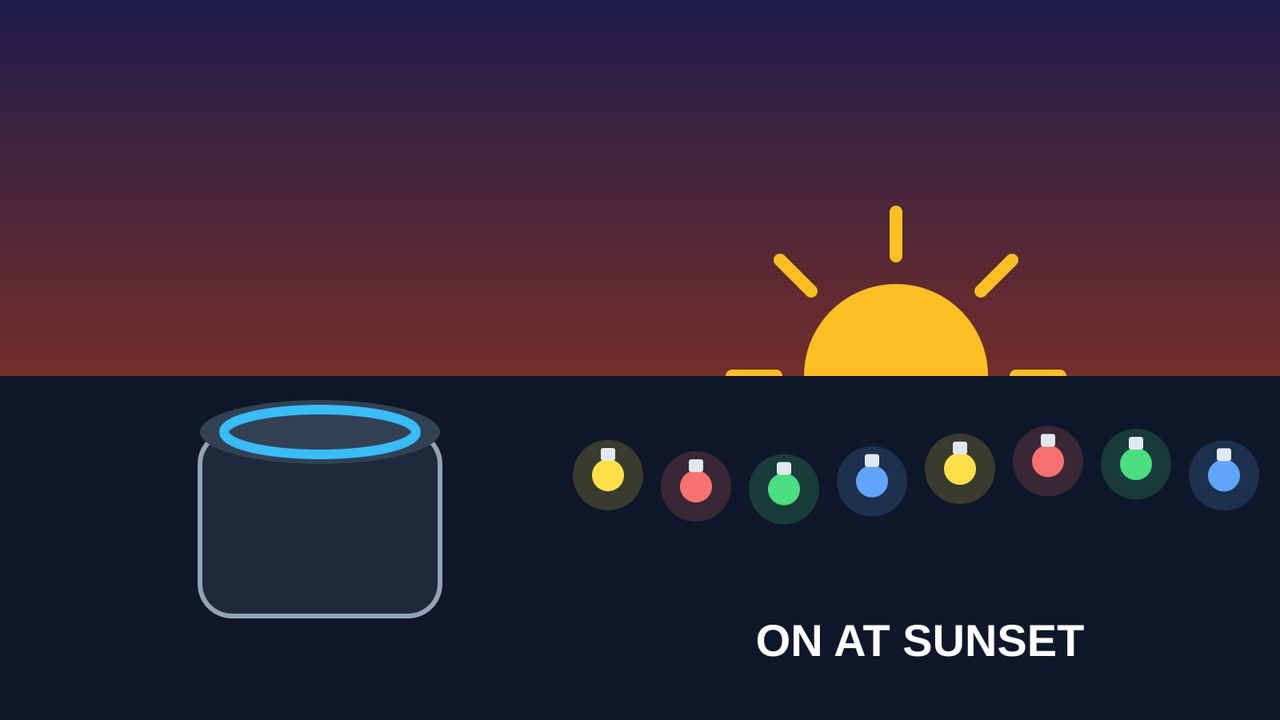
Good routines for Christmas lights mean you never have to think about them. The display comes on as it gets dark, switches off at bedtime, and the tree lights up when you say good morning. Below are step-by-step routines for Alexa, Google Home and Apple Home, plus the one thing most guides miss: “on at sunset” and “off at bedtime” need two separate routines.
Quick answer: put your lights on smart plugs and set your home location in the app. Then create two routines: one triggered at sunset (for example sunset + 15 minutes) that turns the lights on, and one at a fixed time (for example 11 pm) that turns them off. In Alexa this is More → Routines → +. In Google Home, use a Household automation with the sunrise/sunset starter. In Apple Home, use Add Automation → A Time of Day Occurs → Sunset.
Your lights need to be on smart plugs first. If they aren’t yet, start with our guide to making outdoor Christmas lights smart or the best smart plug for a Christmas tree.
Before you start: name and group your plugs
- Give each plug a clear, unique name, such as “Tree lights”, “Porch lights” and “Yard lights”. Don’t give a plug the same name as a light or another device.
- Make a group, for example “Christmas lights”, so one command or one routine action controls them all. In Alexa: Devices → + → Add Group. In Google Home, put the plugs in the same room or add each one to the routine.
- Set your home location or address. Sunset times are calculated from it. Alexa needs a device location, and Google requires a home address for time and sunset starters.
Alexa routines
Routine 1: lights on at sunset
- Open the Alexa app and go to More → Routines → +. (With Alexa+, you can also ask Alexa to create a routine by voice. It’s saved in the app.)
- Tap When this happens → Schedule → Sunset. Third-party guides show a slider for an offset, for example 15 or 30 minutes after sunset. Amazon’s developer documentation confirms sunrise and sunset triggers support offsets.
- Tap Add action → Smart Home, choose your “Christmas lights” group or each plug, and set it to On.
- Save.
Amazon also offers a ready-made “Sunset Lights” routine in the routines gallery under Home Automation, which you can edit.
Routine 2: lights off at bedtime
Create a second routine: When this happens → Schedule → At time (for example 11:00 pm, every day), then Smart Home → Christmas lights → Off. One published setup uses on 15 minutes before sunset and off at 11:30 pm.
Routine 3: one voice command for everything
Create a routine with When this happens → Voice, and type a phrase such as “It’s Christmas time”. Then add each plug or group as an action. You can also add Alexa Says → Customized so Alexa replies with something festive. Avoid phrases Alexa already uses for built-in features. With Alexa+, for example, “Good night” can trigger its own Night mode.
Google Home automations
Google uses Household automations, which are shared with everyone in the home, for this. Only admins, or members with settings permission, can create them.
- Open the Google Home app and go to Automations → + → Household.
- Add starter → At sunrise or sunset. Choose sunset and an offset if you like (Google’s own example uses “1 hr before sunrise”).
- Add action → Adjust Home Devices, pick your plugs and set them On.
- Save. Then create a second automation with At a specific time (for example 11 pm) that turns the plugs Off. Google recommends separate automations for on and off.
Prefer typing? Google Home’s script editor accepts starters such as at: sunset+30min, with an optional list of weekdays.
If a sunset automation doesn’t run: Google’s community advice is to check the home address, then delete and recreate the automation.
Apple Home automations
- In the Home app, tap + → Add Automation → A Time of Day Occurs → Sunset.
- Pick an offset if you like (from 15 minutes to 4 hours, before or after sunset), choose your plugs and set them On.
- Add a second automation at a fixed time to turn them Off.
Apple Home automations need a home hub (an Apple TV or HomePod) to run on their own.
Or use the plug’s own app
Brand apps can do the same thing, and some keep working when your internet is down:
- Tapo: schedules and Away mode are stored on the plug and run without internet. Smart Actions need the cloud.
- Kasa: supports sunrise and sunset schedules with an offset. The original V1 hardware doesn’t support offsets.
- meross: schedules on or off at sunrise, sunset or a set time. meross says routines keep running if the internet drops.
If you only want on-at-sunset and off-at-bedtime, the brand app’s schedule is the most reliable choice. Use Alexa or Google for voice control and multi-brand routines.
Holiday routine ideas
| Routine | Trigger | Actions |
|---|---|---|
| Evening display | Sunset + 15 min | Outdoor lights and tree on |
| Lights out | 11:00 pm daily | Christmas group off |
| Morning tree | Voice: “Good morning” (or your alarm) | Tree lights on |
| Party mode | Voice: “It’s Christmas time” | All holiday plugs on, plus a festive reply |
| Away for the holidays | Vacation | Alexa Away Lighting, or Tapo/Kasa Away mode on the plug |
Away Lighting in Alexa switches lights on and off at intervals so the home looks occupied. Google Home doesn’t currently offer a built-in random away-lighting mode, so use the plug brand’s Away mode instead. Leaving lights on overnight isn’t recommended either way: NFPA and ESFI advise turning decorations off when you go to bed or leave home.
FAQ
Can Alexa turn on Christmas lights at sunset?
Yes. Create a routine with a Schedule → Sunset trigger and add your smart plugs as the action. Make sure your Alexa device location is set so the sunset time is right.
How do I make Alexa turn the lights off at a certain time?
Use a second routine with a fixed-time trigger, for example 11 pm, that turns the plugs off. A single sunset routine only turns things on.
Can Google Home turn lights on at sunset?
Yes. Use a Household automation with the At sunrise or sunset starter and an Adjust Home Devices action. It needs your home address set, and admin access to create it.
Do smart plug schedules work if the internet goes down?
Schedules stored on the plug usually do. Tapo stores schedules and Away mode on the device, and meross says its routines keep running. Alexa and Google routines need the internet.
Why didn’t my sunset routine run?
Check your home location or address, make sure the plug is online, and try recreating the routine. Our guide to smart plugs that keep going offline covers connection problems.
Planning the display? Our Christmas lights calculator checks the load, and our holiday gift guide has more ideas.