Best Heated Coffee Mug for a Home Office (No Cold Coffee After Meetings)
The best heated coffee mug for a home office keeps drinks hot through long meetings. We compare Nextmug and Ember, including a no-app option and gift tips.
Disclosure: HomeTechAdviser is reader-supported. We may earn a commission when you buy through links on this page, at no extra cost to you. As an Amazon Associate we earn from qualifying purchases. Read our affiliate disclosure.
In this article
A heated coffee mug for a home office solves one of the most common work-from-home annoyances: pouring a coffee, joining a call, and finding it stone cold an hour later. A heated mug keeps your drink at a set temperature on its charging coaster all day, and for a while off it.
Quick answer: if you want the simplest option, get the Nextmug 14 oz. It has three temperature settings on a single button, with no app needed. If you like fine control and phone notifications, the Ember Mug 2 is the best-known app-controlled mug. Big coffee drinkers should look at the Nextmug Plus (18 oz).
Compared at a glance
| Product | Capacity | Temperature control | App needed? |
|---|---|---|---|
| No appNextmug 14 ozCheck price | 14 oz | Warm 130°F · Hot 140°F · Piping 150°F | No – one button |
| App-controlledEmber Mug 2, 14 ozCheck price | 14 oz | Any temperature from 120–145°F | Optional (defaults to 135°F) |
| LargeNextmug PlusCheck price | 18 oz | On-mug controls (see listing) | No |
The picks
Nextmug 14 oz Temperature-Controlled Self-Heating Mug
The easiest heated mug to live with – and to give as a gift, because there’s nothing to download or pair. Press the button to cycle through three temperatures and set it back on the coaster between sips.
- Pro: Three presets: Warm 130°F, Hot 140°F, Piping 150°F
- Pro: No app or account – one on-board button
- Pro: Ceramic-coated stainless steel, 14 oz
- Con: No custom temperatures between presets
Ember Mug 2, 14 oz
Ember is the original smart mug, and it’s still the pick for people who like to dial in an exact temperature and get a notification when their drink is ready. It goes to sleep when empty or left still, saving battery.
- Pro: Set any drinking temperature from 120–145°F in the app
- Pro: Up to 80 minutes off the coaster (14 oz), all day on it
- Pro: Wakes when you pour; defaults to 135°F if you skip the app
- Con: Hand wash only
- Con: The app is where the extra features live
Nextmug Plus 18 oz
If one mug never lasts the morning, the Plus holds a few more ounces – useful for tea drinkers who top up with hot water, too.
- Pro: Bigger 18 oz capacity for long work blocks
- Pro: Same self-heating, temperature-controlled design
- Con: Larger and heavier on the desk
- Con: Check the listing for its exact temperature settings
Is a heated mug better than a mug warmer plate?
A mug warmer plate is a heated pad you put your existing mug on. It’s cheaper and works with any flat-bottomed mug, but heat only comes from below and stops the moment you pick the mug up. A heated mug heats the drink itself and keeps it at a precise temperature, even off its coaster for a while. If you want the least fuss and lowest cost, choose a warmer plate. For coffee that’s actually hot when you sip it, a heated mug wins.
Prefer a coffee mug warmer?
If you’d rather keep your favourite mug, a coffee mug warmer (a heated plate) is the budget option. Look for one with auto shut-off, so it can’t be left on overnight, and a flat-bottomed mug that sits fully on the plate. It keeps coffee warm rather than hot, and only while the mug is on the plate.
See mug warmers with auto shut-offTorn between the two best-known heated mugs? Our Nextmug vs Ember comparison goes into detail.
What matters on a work desk
- Battery vs coaster: these mugs keep coffee hot indefinitely on the coaster. Off it, battery life is measured in minutes to an hour or so, so keep the coaster where you work.
- Temperature: most people find 130–140°F comfortable for sipping. Very hot settings are better for slow drinkers.
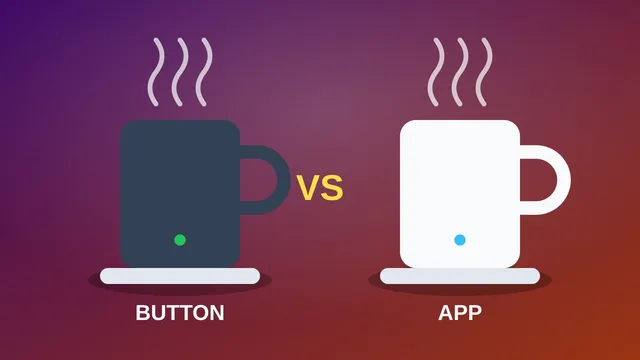
- App or not: a no-app mug is better for gifts and for people who don’t want another account. App mugs offer notifications and precise settings.
- Cleaning: these mugs contain electronics, so check the care instructions. Most are hand-wash only.
- Desk space: leave room for the coaster away from your keyboard and laptop, in case of spills. A standing desk user may want the coaster on a side shelf.
FAQ
Do heated coffee mugs actually work?
Yes. They hold a set temperature on their charging coaster all day, and for a limited time off it, depending on battery size and how full the mug is.
Can you use a heated mug without an app?
Yes. The Nextmug range uses a button with preset temperatures. The Ember Mug 2 also works without the app, defaulting to 135°F.
Is a heated mug a good gift for a remote worker?
It’s one of the most popular work-from-home gifts, because it fixes an everyday problem. See our full list of gifts for remote workers and the holiday gift guide. For older relatives, a digital photo frame for grandparents is another gift that gets used every day.
Can heated mugs go in the dishwasher?
Usually not. The electronics in the base mean most heated mugs, including the Ember Mug 2, are hand-wash only. Always check the manufacturer’s care instructions.
Browse more home office guides.
Check current prices on Amazon
Prices and deals change quickly – Amazon shows the current price at checkout.